Microsoft Teams integration via Workflows - Nov 2026
This updated version is to reflect changes by Microsoft in 2026
In MS Teams
- Go to https://teams.microsoft.com/
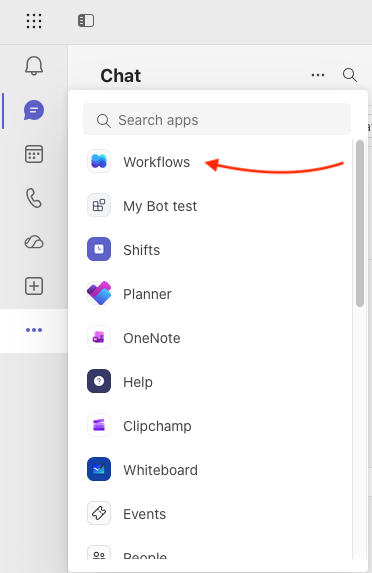
- Go to “Workflows” from the main menu on left hand side.
-
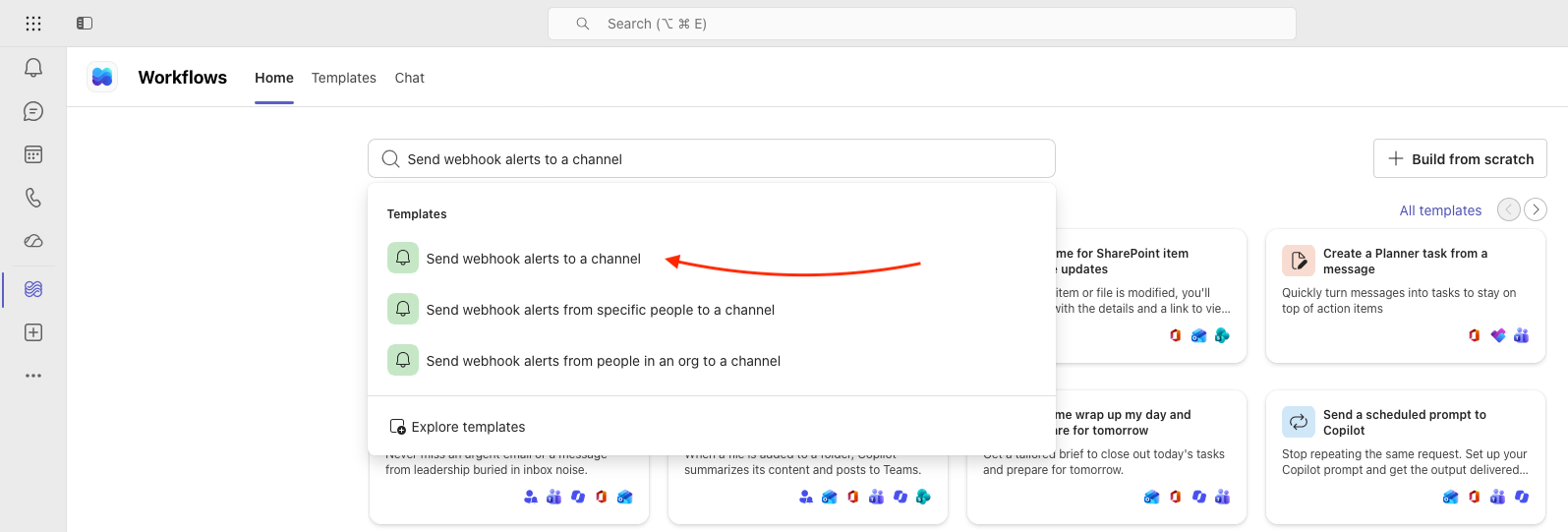
From the listed options choose "Send webhook alerts to a channel"
-
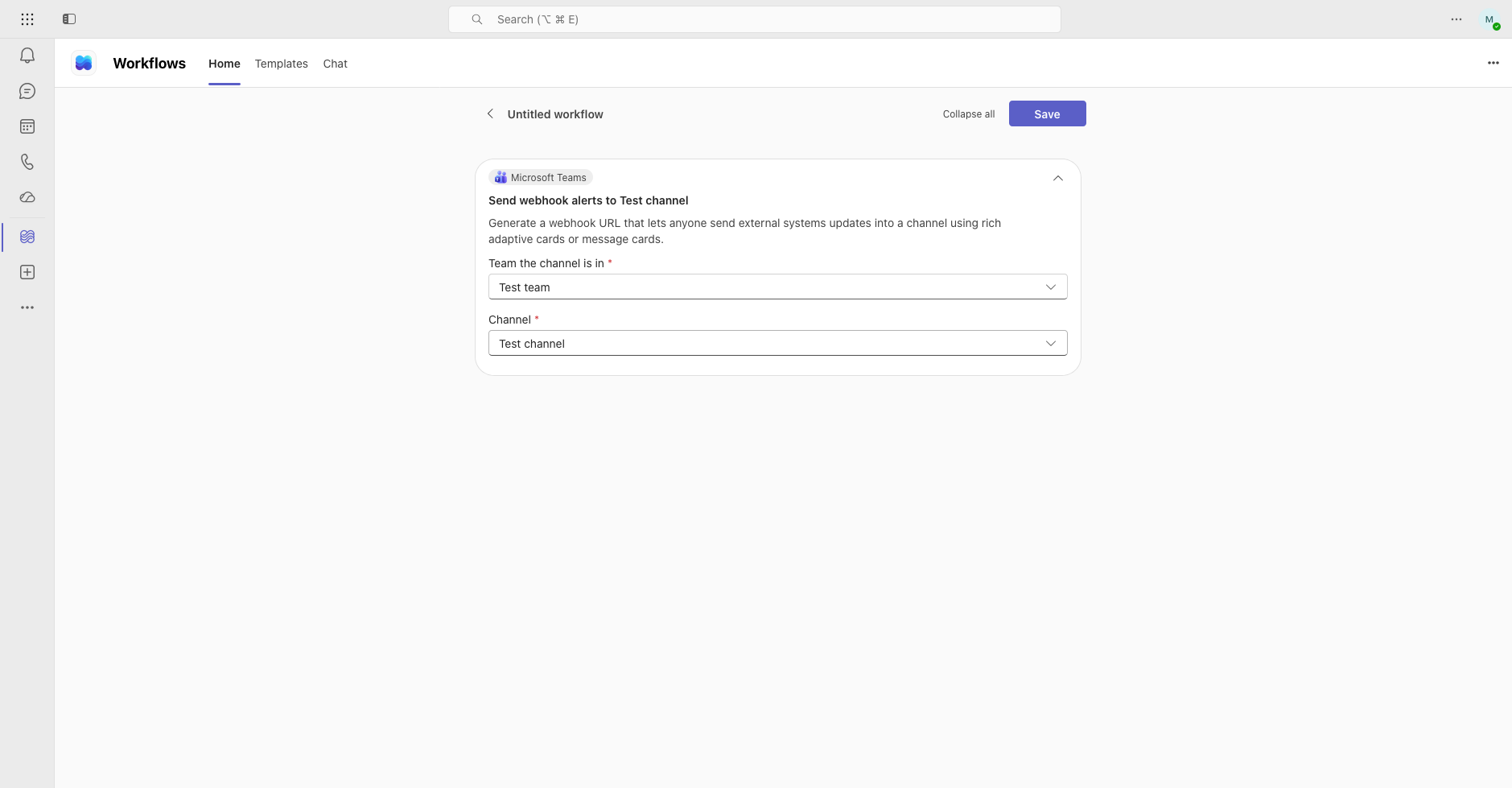
Customize the name, and verify the check on the first screen. Then click on "Save".
-
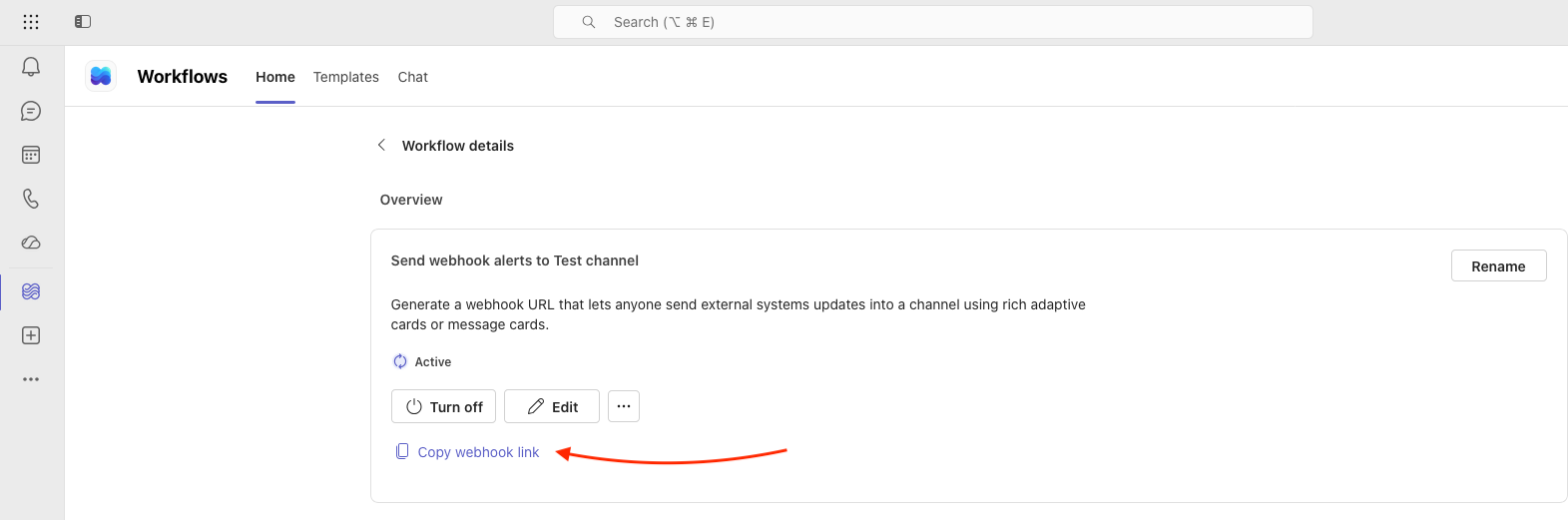
Wait for UI to show the generated URL, Save the URL for later via "Copy webhook link"
In StatusHub
-
Use the copied URL as the MS Teams subscription address:

-
Subscribe

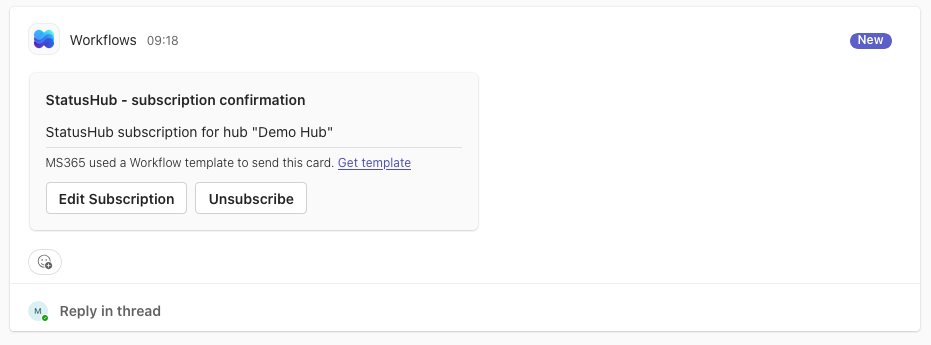
- You should receive a subscription confirmation in the MS Teams channel